Interview Management Platform

Admin panel + candidate portal + Zoho mail — one hiring suite.

See plans
Overview

Full-fledged hiring from application to Zoho follow-up

Built as seregno-admin and seregno-candidate: HR runs dashboard, candidates, question banks, blacklist, and a Zoho IMAP/SMTP inbox; applicants register in a 12-step portal, sit MCQ and programming tests, track status, and Q&A with HR.

Features

Admin portal, candidate portal, and Zoho in one product

Not a spreadsheet workflow — registration, tests, shortlists, blocked list, bulk mail, and live Zoho inbox sit together.

See the interactive walkthrough

Admin portal

Dashboard, candidates, questions, blocked list, settings, and team users.

Candidate portal

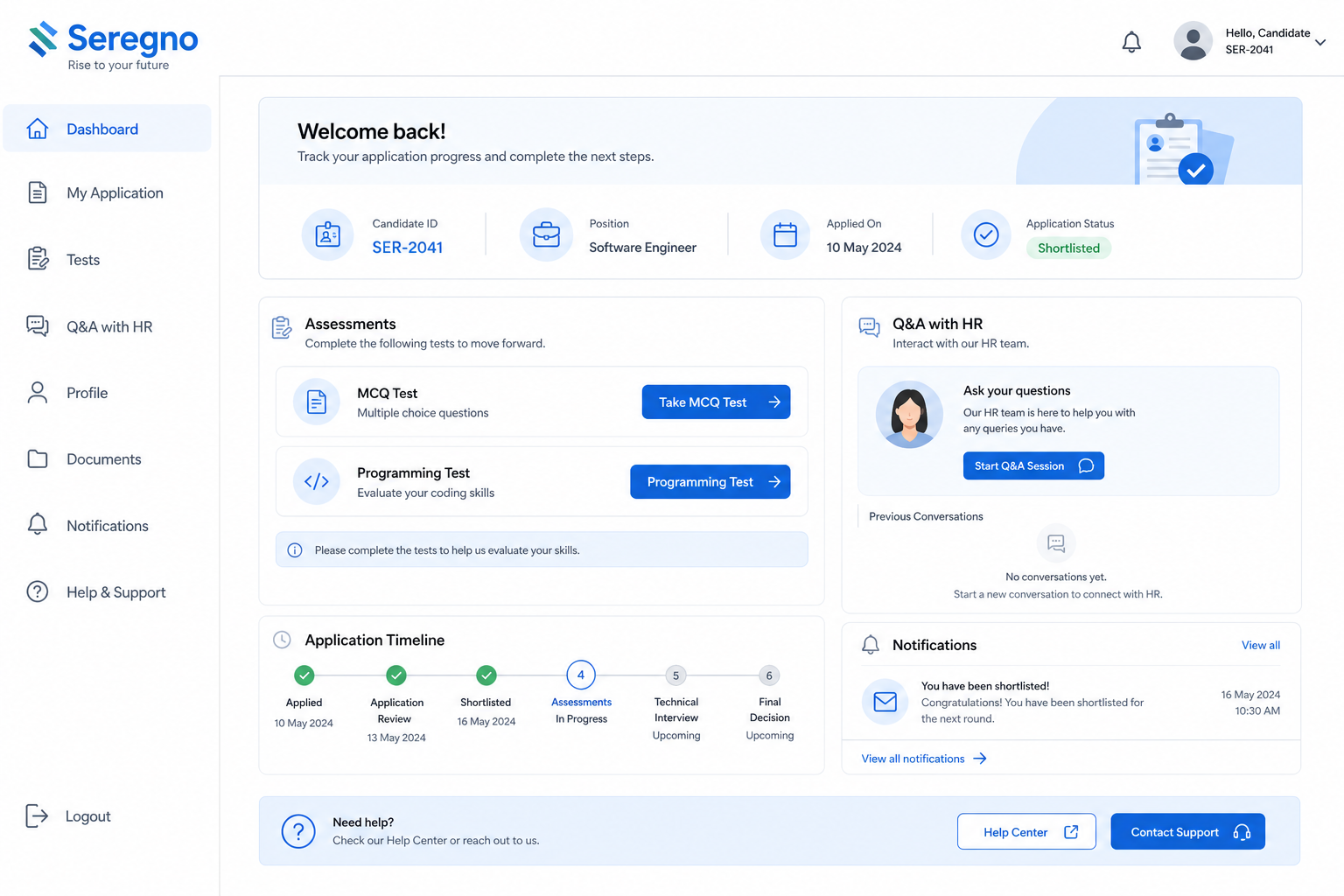
12-step registration, login, status, tests, and HR Q&A.

MCQ & programming tests

Subject-wise MCQ plus coding challenges with scored attempts.

Filters & exports

State, district, role, status — export Excel or PDF.

Zoho mail inbox

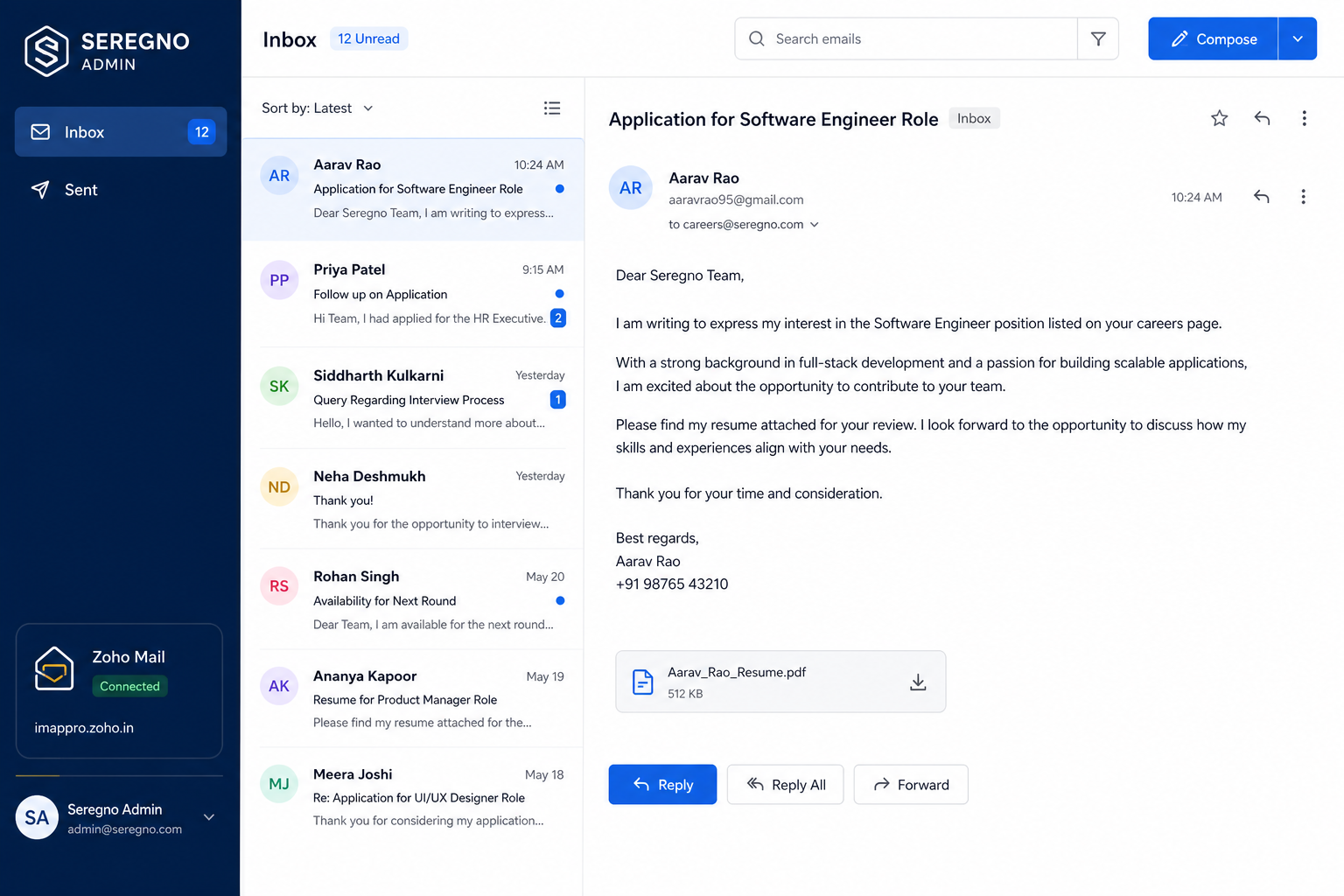
IMAP inbox, compose, unreplied tracking, shortlist/reject mail.

Eligibility & notes

Scoring, admin notes, rejection reasons emailed to candidates.

Use cases

Turn a pile of applications into a clear next step

Resources

See the product, then talk to us

Product screens

Admin panel, candidate portal, Zoho inbox

Mapped from the live seregno-admin and seregno-candidate apps.

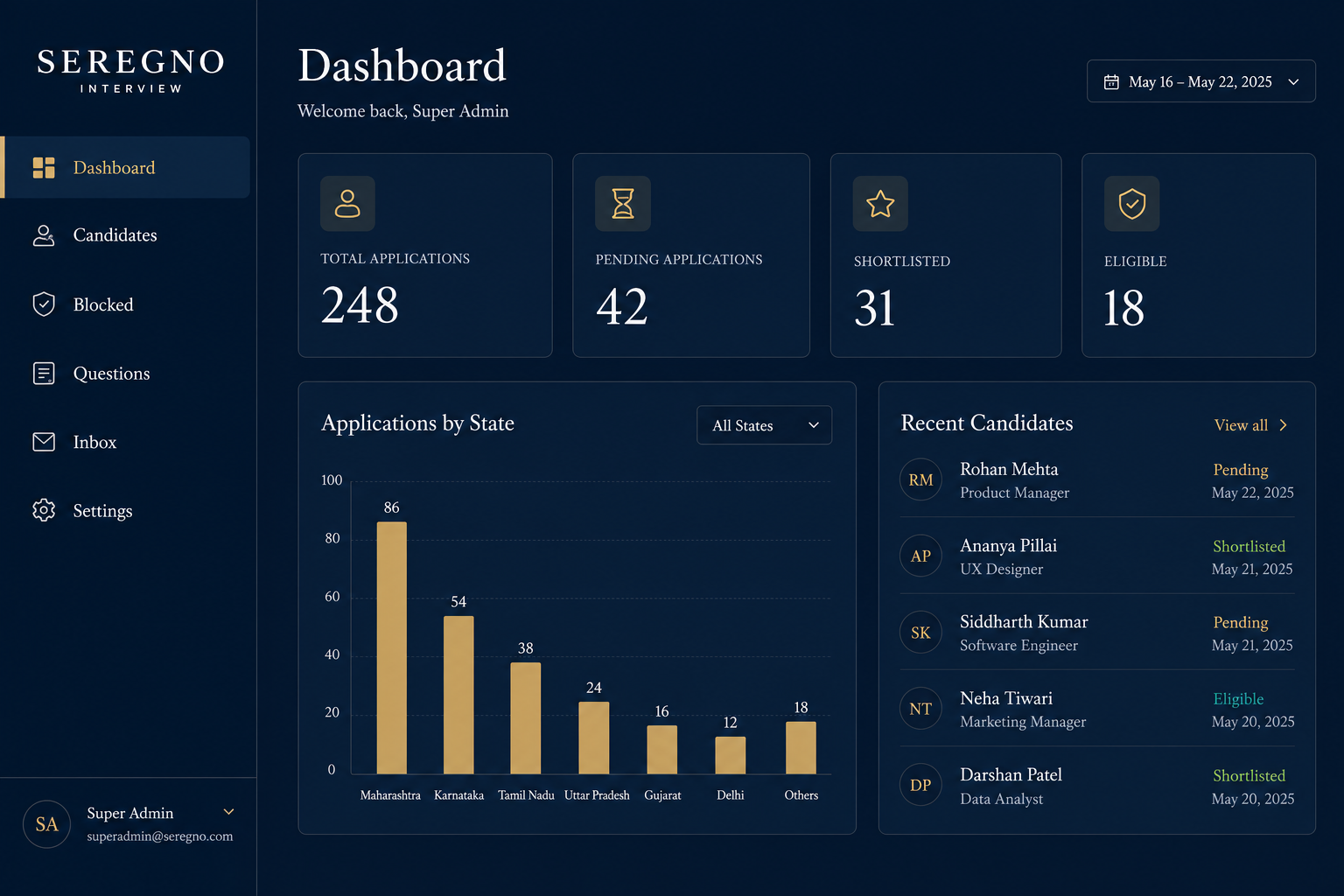
Interview admin dashboard
Admin · DashboardApplications, pending, shortlisted, state charts
Candidate portal
Candidate · PortalStatus, MCQ, programming tests, HR Q&A
Zoho mail inbox
Admin · Zoho inboxIMAP inbox, compose, unreplied tracking
Admin panel features

Everything HR opens in seregno-admin

Hiring ops

  • Dashboard stats & charts
  • Candidates list filter/sort
  • Candidate detail (multi-tab)
  • Eligibility scoring
  • Status: pending → reviewed → shortlisted / rejected
  • Admin notes (internal)
  • Rejection reasons emailed

Content & access

  • MCQ / programming question banks
  • Blocked / blacklist identities
  • Admin registration & team users
  • Settings

Zoho mail

  • IMAP inbox (imappro.zoho.in)
  • Folders: Inbox / Sent
  • Read message bodies
  • Compose & reply
  • Unreplied tracking
  • Mark answered
  • Shortlist / reject / bulk status emails
Candidate portal features

Everything applicants open in seregno-candidate

Apply

  • Landing page
  • 12-step registration
  • Candidate ID + password by email
  • Find Candidate ID
  • Login

Assess

  • Application status tracking
  • MCQ tests (subject-wise)
  • Programming tests
  • Up to 2 attempts
  • Test results view

Engage

  • Q&A with HR
  • Resubmit after rejection
  • Profile updates
Zoho mail integration

Inbox inside the admin panel — not a separate tab in the browser

Zoho IMAP + SMTP

Shortlist, reject, and follow up from one inbox

Connect Zoho (imappro.zoho.in) for reading candidate mail, composing replies, tracking unreplied threads, and sending status emails when you shortlist or reject.

  • Live IMAP inbox & folders
  • Bulk / status emails
  • Unreplied & answered tracking
Zoho inbox
Interactive walkthrough

How admin and candidate portals work together

Click each step to preview the live app layouts.

Step 01Admin Portal

Set up your admin team

HR managers sign in to the admin portal, add team members, configure test questions, and connect Zoho mail for candidate communications.

  • Register admin accounts for your HR team
  • Load MCQ and programming test question banks
  • Connect Zoho mail for outbound and inbox sync
Live app layout preview
Settings
🔔3
P
Priya Sharma

Team & Configuration

Manage HR users, test questions, and email integration.

HR Users5
MCQ Questions48
Prog Questions12
Zoho MailConnected
Add team member
Priya Sharma
hr@company.com
Pricing

Select a plan for your hiring volume

Required
Core

Interview Platform

Starting at

Talk to us

Per company


Admin portal, candidate portal, tests, shortlists, and blacklist.

Required
Included

Zoho mail integration

Starting at

Talk to us

IMAP + SMTP


Inbox, compose, shortlist/reject, and unreplied tracking via Zoho.

Optional

Programming tests

Starting at

Talk to us

Tech hiring


Scored coding questions in the candidate portal.

Optional

Rollout support

Starting at

Talk to us

Setup


Question banks and HR training from Kannur.

Seregno

Contact

Tell us about your project — we reply from Kannur within one working day.